I’m sure I need configuration help. Thanks in advance!
I have a Synology DS923+ NAS. I have it connected through a switch with fixed IP in LAN 2 at 192.168.xxx.xxx on 1 GB Ethernet. I mount as smb://server/share. All perfect.
LAN 1 is DHCP in 10.0.0.0 group connected to my Wireless router. Also works perfectly.
Today I added the 10GB plugin Ethernet card to the NAS. It comes up as a separate LAN connection - LAN 3. I gave it a unique fixed IP in the 192.168 group. BUT, I can only access from the MAC as IP address, not by server/share. Cannot figure out where that might get set? Would not mind a unique name for this connection. In fact, would prefer it! But would like to be able to choose whether to connect to Lan 2 or Lan 3 in apps and aliases and Finder by smb://server/share.
Ideally I would like BOTH the 1 GB and the 10 GB connected to the switch and choose which to connect to across my network depending on the need. If i had to, I would take only the 10GB but only if I could mount as server/share. OR is it simple possible to change the settings for LAN 2 to the LAN 3 and use only that without having to setup my Chronosync tasks, backups, Sidebar links, DSM connection, etc.?
When you connect via name, it will grab the first network connected on the NAS via Service Order..
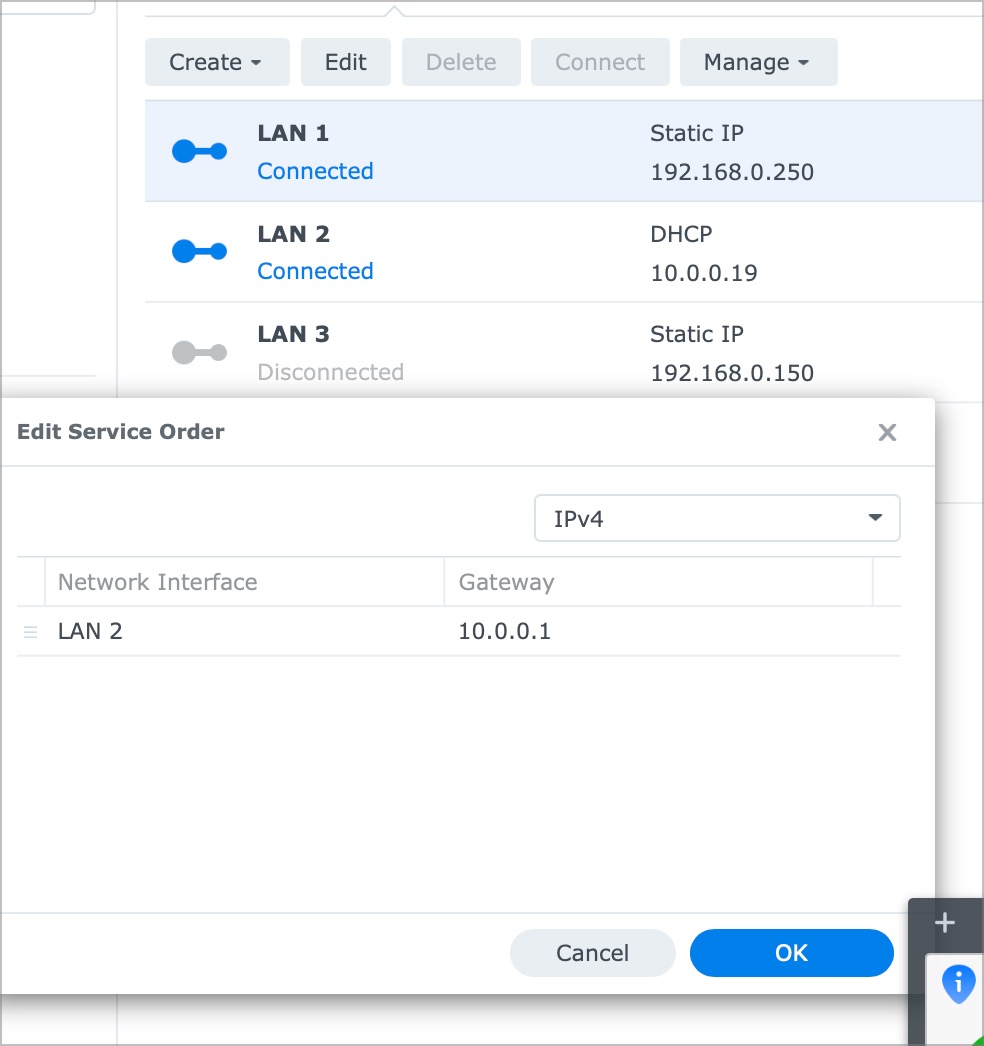
To change the Service Order, go to Control Panel, Network, Network Interface, Manage, Service Order, and change the order of the NICs to what you need..
Thanks so much. Waiting on a new switch and cables. Right now I only have Lan 1 for Internet Router and Lan 3 for 10GB LAN port. With Lan 2 disconnected, name does not find Lan 3. I have not yet played with order.
Lan 2 and 3 are both on 192.168.xxx.xxx. Is that an issue? If not, order should be helpful.
OK, OK, got more cables and a faster switch. There are 3 Lans. All say connected. One is the Internet to router so no concern there. And service order shows the Lan 2 Internet as above AND Lan 3 10GB. No Lan 1 1GB port.
But…
1.	How do I tell which my Macbook is using? Cannot find any way on the Synology or the Mac but I am sure there must be one.
2.	Then want to be sure I have set IP's properly. The 1GB is on 192.168.0.250 and the 10GB on 192.168.0.150. My gut says they should not be both on 192's. Yes?
3.	Then want to be sure that when I connect to server/share rather than by IP that it selects the faster port- Lan 3
Thant’s what I am down to.
Ohhh, one more! What is supposed to go in the gateway field for each lan?
For example, if I have 192.168.0.250 - 255.255.255.0 What goes in gateway? Or should it be left blank?
Changing service order only changed the default gateway and slowed everything down. I have no gateway entered in the Lan 3 10GB connection. Do not know what it should be?
I can reach both lans by IP address, even the new 10GB and verified speed when that is mounted. But smb://server/share only will open the Lan 1 1GB .
I would prefer that server/share default to the 10GB Lan and the 1GB lan would be reachable by IP only.