I’ve been running Pihole on my Synology nas for roughly 4 years. In the tutorial it had me change my router to point to the nas which worked. Just recently I joined TailScale which is running as a container on the nas which is also my exit node. The tutorial said that TailScale didn’t need any router setup, so I removed the port forwards and static ip for the nas in the router.
The only modification I made to Pihole was under DNS Advanced, Permit all origins. It seems to be working by the data on the dashboard. However, if I disabled Pihole I still don’t see any ads even after clearing the cache on my browser. Are there any other setting I’m missing in Pihole or TailScale. Also, does TailScale somehow bypass the ad servers. TIA.
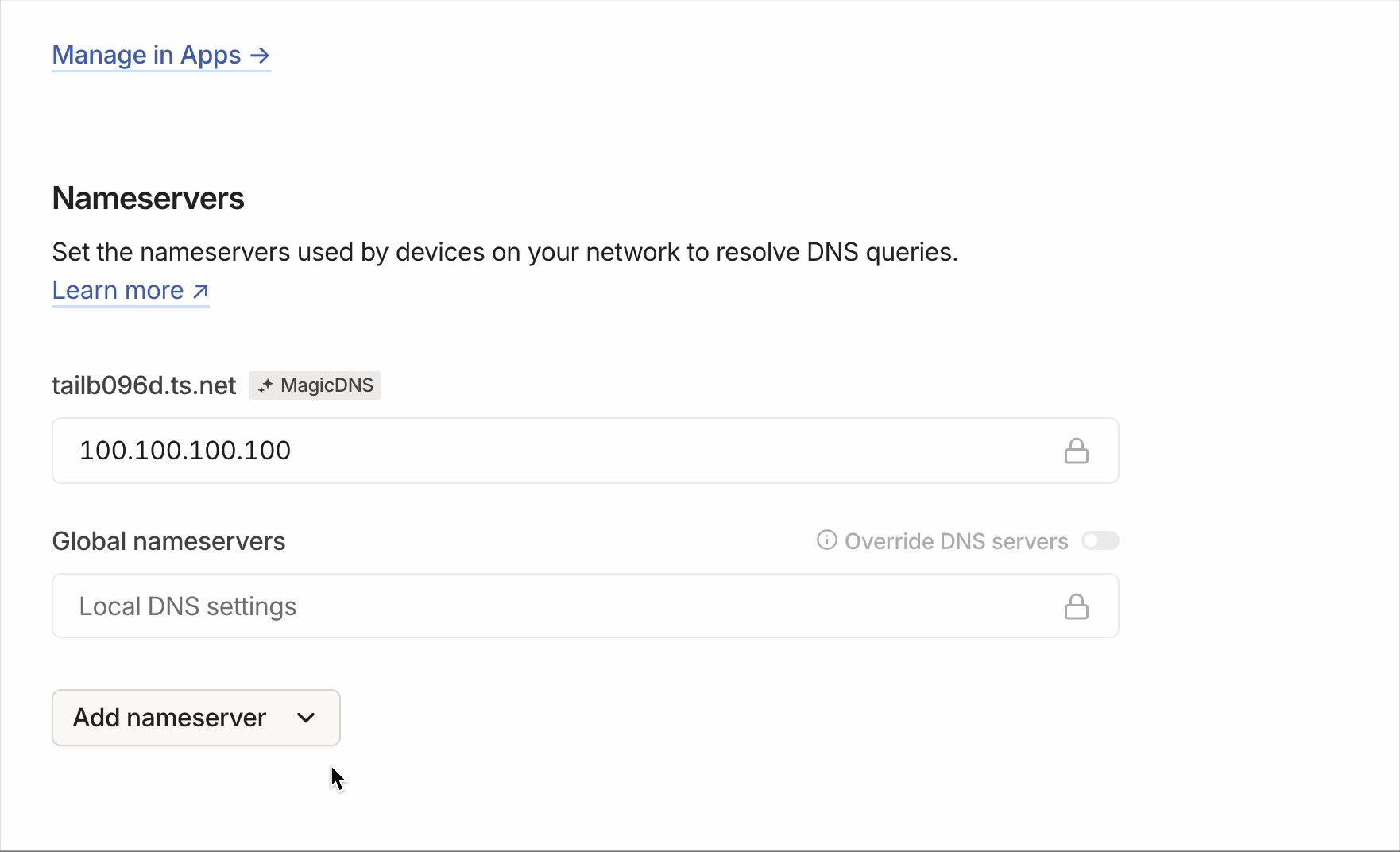
To configure the Pi-hole as the DNS server for your tailnet, go to the DNS page of the admin console, and in the Nameservers section, select Add nameserver, then Custom. Then enter the IP address for the Pi-hole, select Save, and enable the Override DNS servers toggle.
When your devices connect to the tailnet, they use the Pi-hole as the DNS server to block most ads. When they’re not connected to the tailnet, they use the DNS server set up on the local network.
1 Like
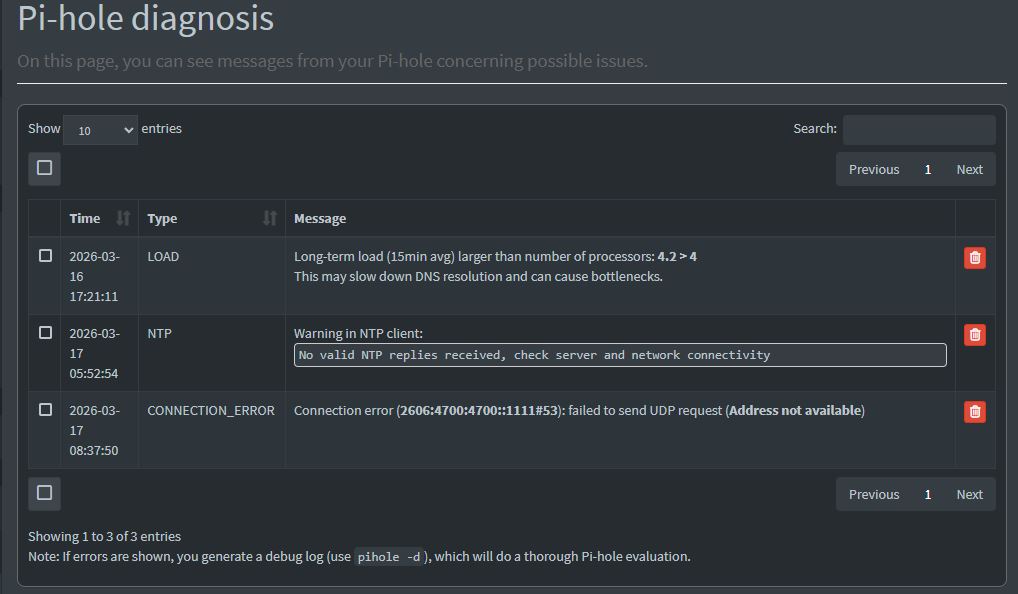
Ok, that part is done, but I just noticed these.
Good spot noticing those Pi-hole metrics. The fact that ads still don’t appear even with Pi-hole disabled is actually a separate issue worth tracking down - that’s not Pi-hole doing the blocking at that point.
Most likely culprit: your browser has DNS-over-HTTPS enabled. Chrome and Firefox both default to it now. When DoH is on the browser queries its own DNS provider directly over HTTPS bypassing your router and Pi-hole entirely. Check Chrome settings under Privacy and Security > Security and look for “Use secure DNS” - if it’s on and pointing to something like Google or Cloudflare that explains why Pi-hole has no effect either way. Disable it there and set your DNS to Pi-hole’s local IP instead.
Second possibility: you might have an ad blocking browser extension installed like uBlock Origin or AdGuard that you forgot about. Easy to check in your browser extensions list.
For the Tailscale side - now that you have the DNS override set in Tailscale admin pointing to Pi-hole that should route DNS for all your tailnet devices through it. One thing to double-check: the IP you entered for Pi-hole should be its Tailscale IP (the 100.x.x.x address) not its LAN IP if you want remote devices to reach it properly when they’re off your home network.
Should sort you out.
Wasn’t sure what “Check Chrome settings under Privacy and Security > Security and look for “Use secure DNS” - if it’s on and pointing to something like Google or Cloudflare that explains why Pi-hole has no effect either way. Disable it there and set your DNS to Pi-hole’s local IP instead.”
Only thing I found and disabled was:
I don’t get an option in chrome to set dns. I disabled any browser add-ons for adds
Pihole does not show up in Machines since it resides on my Synology, So I put that in the “GlobalNameservers” and turned it on.
Yes youngsitsolutions, that is the way you do it when using a Ras-pi. However, Mine is running on a container, “a.k.a.Docker," on my Synology Nas. If I wasn’t using TailScale Id have the route pointing to the Nas. However, that’s not done with TailScale. In TailScale you set the exit node to the Nas so all traffic runs through it and Pihole. At least that’s the way I understand it from all of the videos I’ve watched.
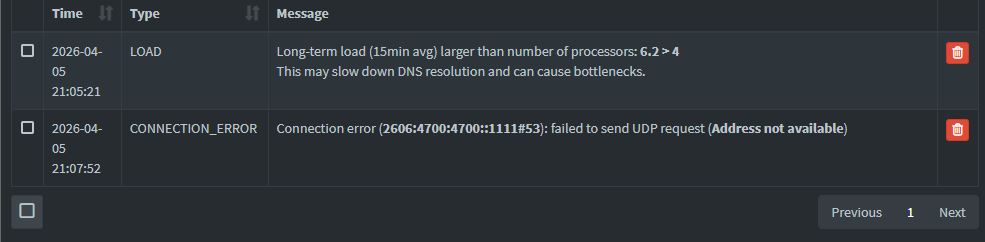
Ok, that must have been what was missing in the tutorial. I ran it from tasks first. However, I decided to restart the nas anyway and it started twice taking a long time. Even some of the packages were slow starting. Kind of odd. Also getting this in pihole:
Ok, I get rid of the “Long term load,” just need to fix the udp failed.
looks like you have IPV6 on either/both in your PI-Hole config or on your NAS. I do not use IPV6 so I disable it on both my Pi-Hole and Synology NAS.
Thank you. Disabled it on the Nas and I think Pi-hole, under settings > DNS > Upstream DNS Server.
1 Like