Hello everyone, I am stuck and been stuck for a very long time.
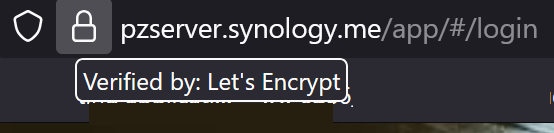
Trying to get audio server working where I can access it remotely and through some apps. I managed to get it to work where I can access it through unsecured connection only, which makes me think I have issues with letsencrypt certificate.
Here is address to the audio server i am working on
Thanks so much for all that information! I’ll give it a try. One question, “First forward 443 (external) to 443 (NAS IP)” - you mean port forwarding or that is something else? Am I doing it at router?
I googled and confirmed my port 443 is open, so I guess that part should be good.
I played too much with certificates yesterday and I am unable to create new certificates on lets encrypt for 7 days. I’ll have to wait to know if it will work.
But now when I go pzserver.synology.me, it goes straight to the music server, just unsecured. I’ll let you know if it will work in a week. Thanks so much for your help!
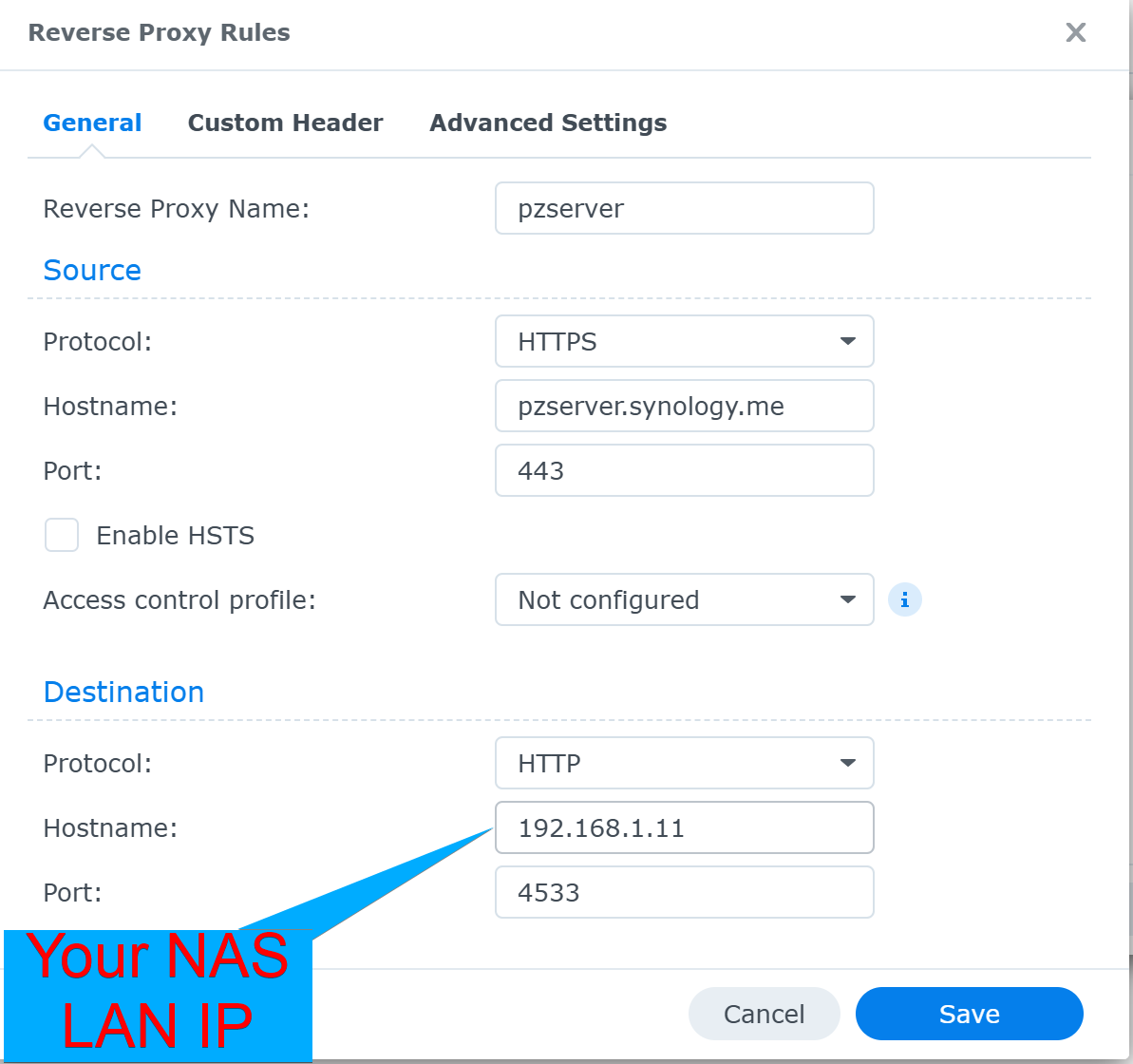
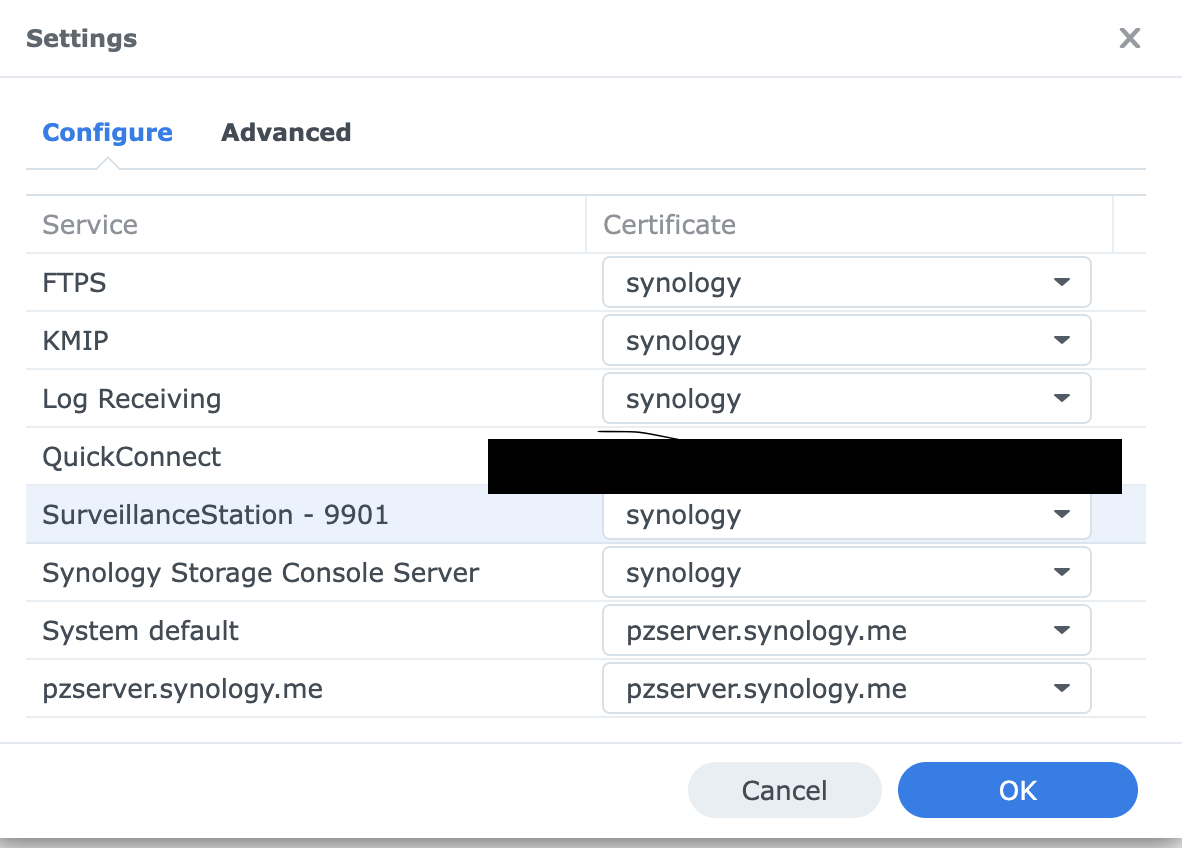
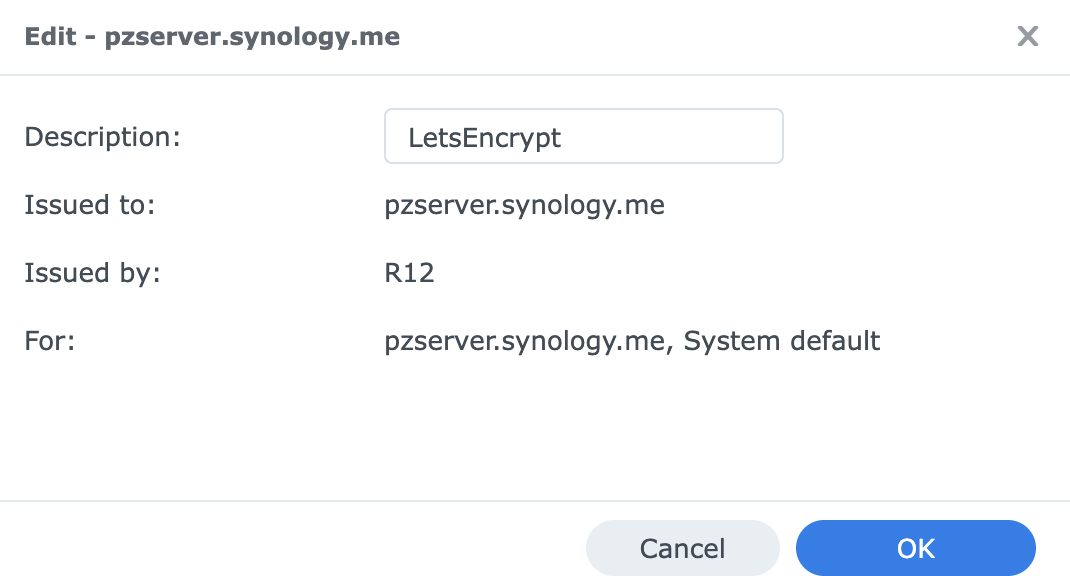
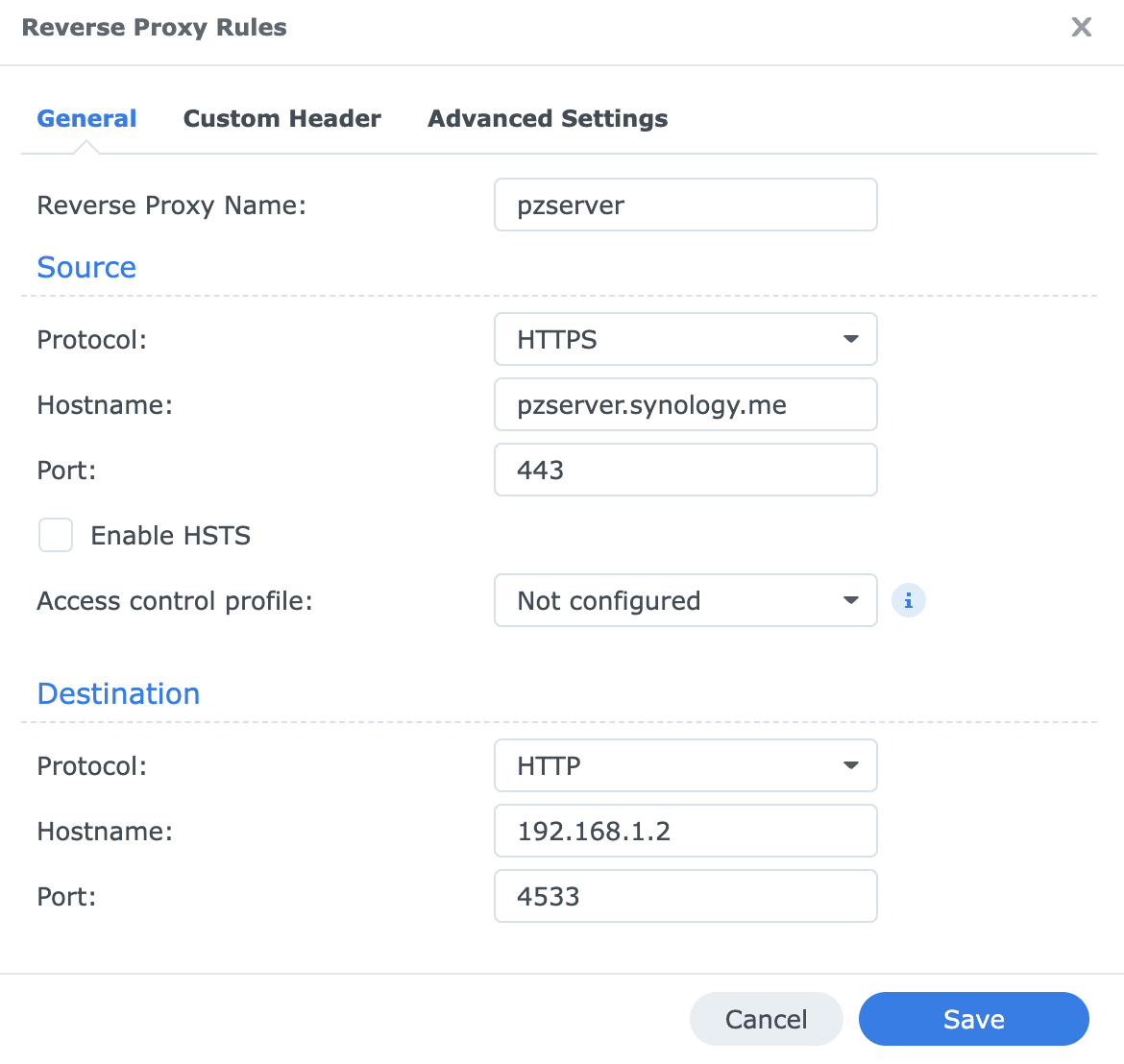
Hello, finally I was allowed to create lets encrypt certificate. Now, when I type pzserver. synology. me, it goes to port 5000, but does not get to destination. When I type same address with port 4533, it says connection not secured. I took couple screenshots of my settings, please let me know if I did something wrong.
Hello all. Everything worked great all the time, but yesterday I noticed that connection stopped working. I did not change anything on synology. I noticed that lets encrypt certificate was to expire next month, so I renewed it, but still. I can not connect to my music server using pzserver synology me. I can connect to it however just by opening it from package center inside synology.
I might be onto something here, is it possible that with new ISP, my ports were closed? I am checking on google and it says 80, 443, and 4533 are closed
Just checked my router and all is good in settings. I wonder if Fiber modem has some settings inside and has ports closed, but its just a modem.
Did router change? If so, you’ll need to set up port-forwarding again.
Also check your WAN IP to ensure it is not “CGNAT” (If your IP begins with “100.”, it’s likely CGNAT). If so, contact you ISP and ask if you can be given a non-CGNAT IP (dynamic IP or fixed IP).
Just checked, checking whats my ip on google starts with 140 or something, but in router settings, IP first digits are 100. I guess it is CGNAT. I have fiber service provided stop by tomorrow, not sure why they decided to send a tech, but now I know more as to what to tell them. Thank you!